> For the complete documentation index, see [llms.txt](https://developer.gyfti.fr/llms.txt). Markdown versions of documentation pages are available by appending `.md` to page URLs; this page is available as [Markdown](https://developer.gyfti.fr/hubspot-integration/rewarding-users-with-points.md).
# Rewarding Users with Points
## **Use Case: Reward Users with Points via HubSpot**
### **What you’ll build**
Automatically add points to a user in Gyfti when a condition is met in a HubSpot workflow (e.g. after completing a challenge or reaching a milestone).
***
### **Prerequisites**
Before starting, make sure you have:
* A Gyfti account connected to HubSpot
* Access to the **Portail module** in Gyfti
***
### **Step 1 — Create a HubSpot workflow**
* Go to HubSpot → Workflows
* Create a **contact-based workflow**
* Define your trigger (e.g. action completed, form submitted, lifecycle stage updated)
***
### **Step 2 — Add Gyfti action**
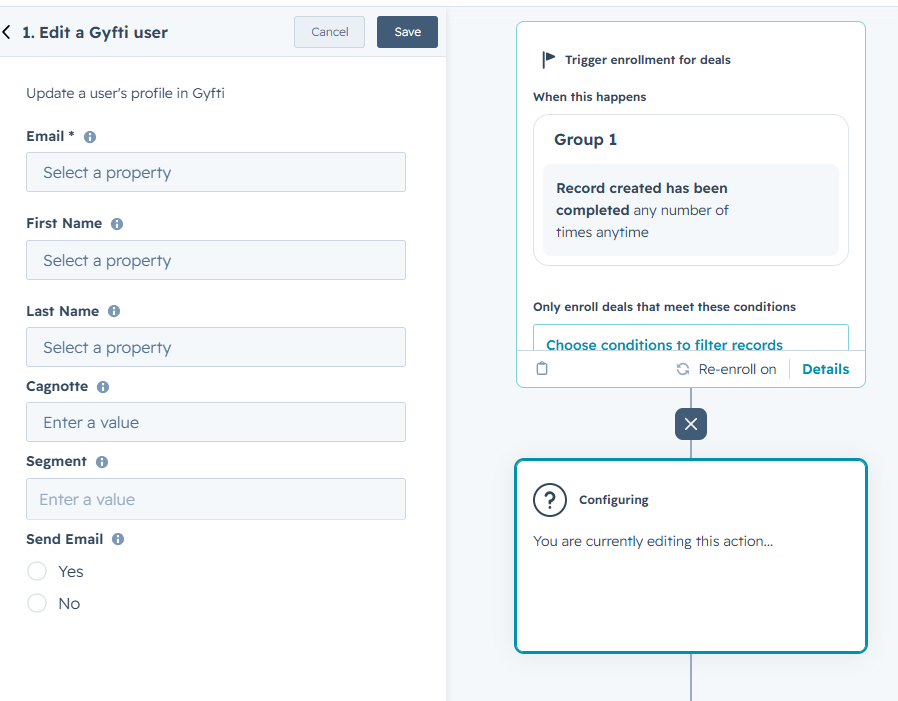
* Add action:\
👉 **Edit a Gyfti User**
***
### **Step 3 — Configure the action**
You can update the following fields:
* **First name** *(optional)*
* **Last name** *(optional)*
* **Segment** *(optional)*
* **Points** *(optional)*
* **Send email** *(optional)*
***
### **Important behavior**
#### **Points are added (not replaced)**
* The value entered in “Points” is **added to the user’s current balance**
* It does **not overwrite** existing points
👉 Example:
* User has 100 points
* You send 50 points → User now has **150 points**
***
#### **Automatic segment creation**
* If a **segment** is provided:
* If it exists → the user is added to it
* If it does not exist → it is **automatically created**, and the user is added
👉 This can be used to **sync HubSpot segments/lists with Gyfti**
You can verify the Segment was created in your Portail
***
#### **Send email option**
* If enabled → the user receives an email notification
* The email informs them that **new points** have been added to their account
***
### **Step 4 — Enroll contacts**
When a contact enters the workflow:
* The user is created or updated in Gyfti (based on email)
* The selected fields are updated
* Points are added if configured
***
### **What happens next**
* The user sees their updated points balance in their Gyfti account
* (Optional) They receive an email notification
* They can use their points to redeem rewards in the Portail